Why Your Website's Search and Navigation Experience Drives Customers Away
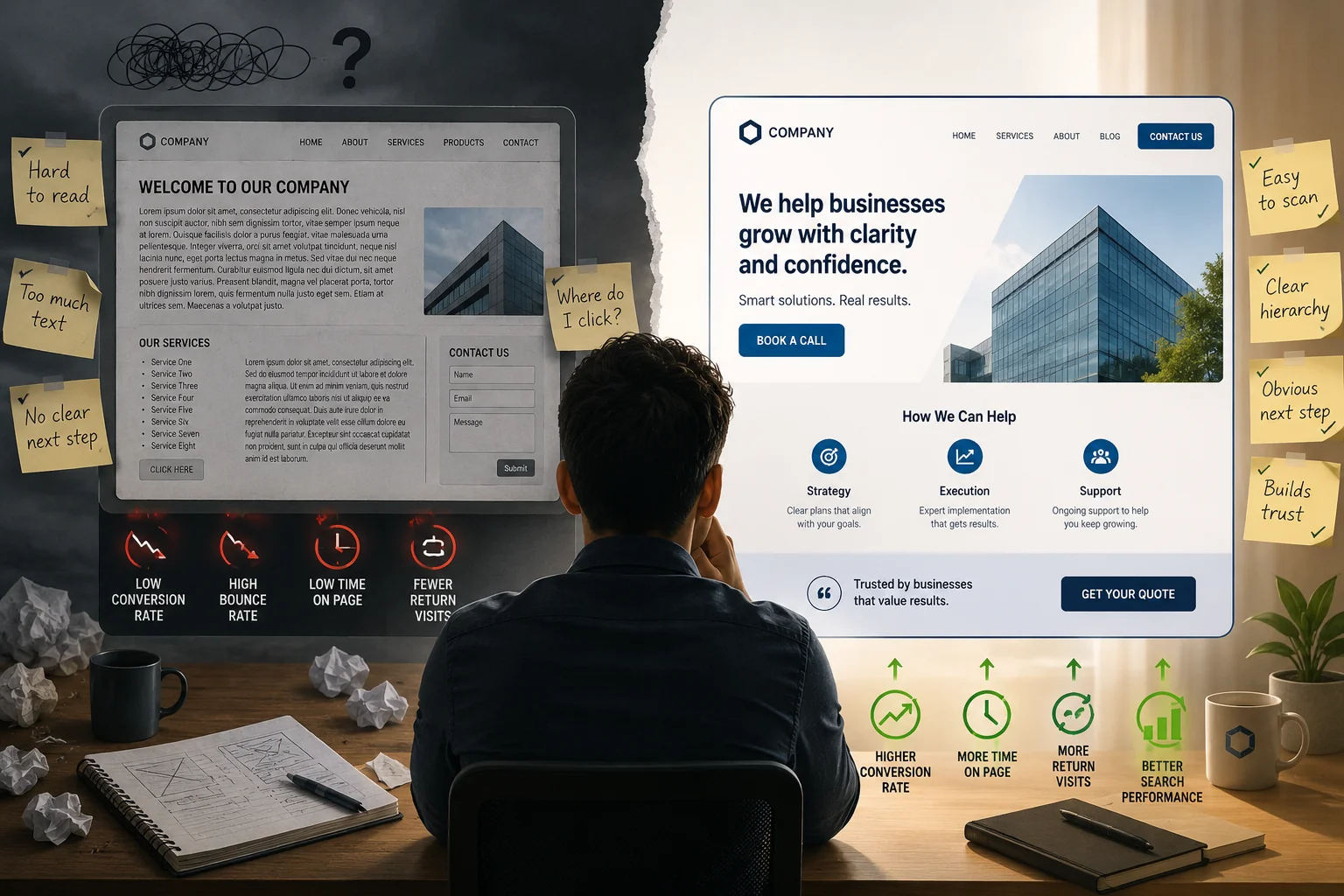
Most visitors decide within a few seconds whether your site is worth their time. They are not reading your copy yet. They are scanning for a path to whatever they came for. If your navigation makes finding that path harder than it should be, they do not complain or send feedback. They quietly click back, land on a competitor, and never return. There is no alert in your analytics that says "lost a customer to a confusing menu," which is exactly why this problem hides in plain sight for so long.
It is tempting to file navigation under taste, a matter of which menu style you happen to like. But every extra second of confusion costs you someone who was ready to buy, which makes this a conversion problem first and a design preference a distant second.
What Broken Navigation Actually Looks Like
Bad navigation rarely looks broken. It just feels slow, vague, or quietly exhausting. A handful of patterns show up again and again.
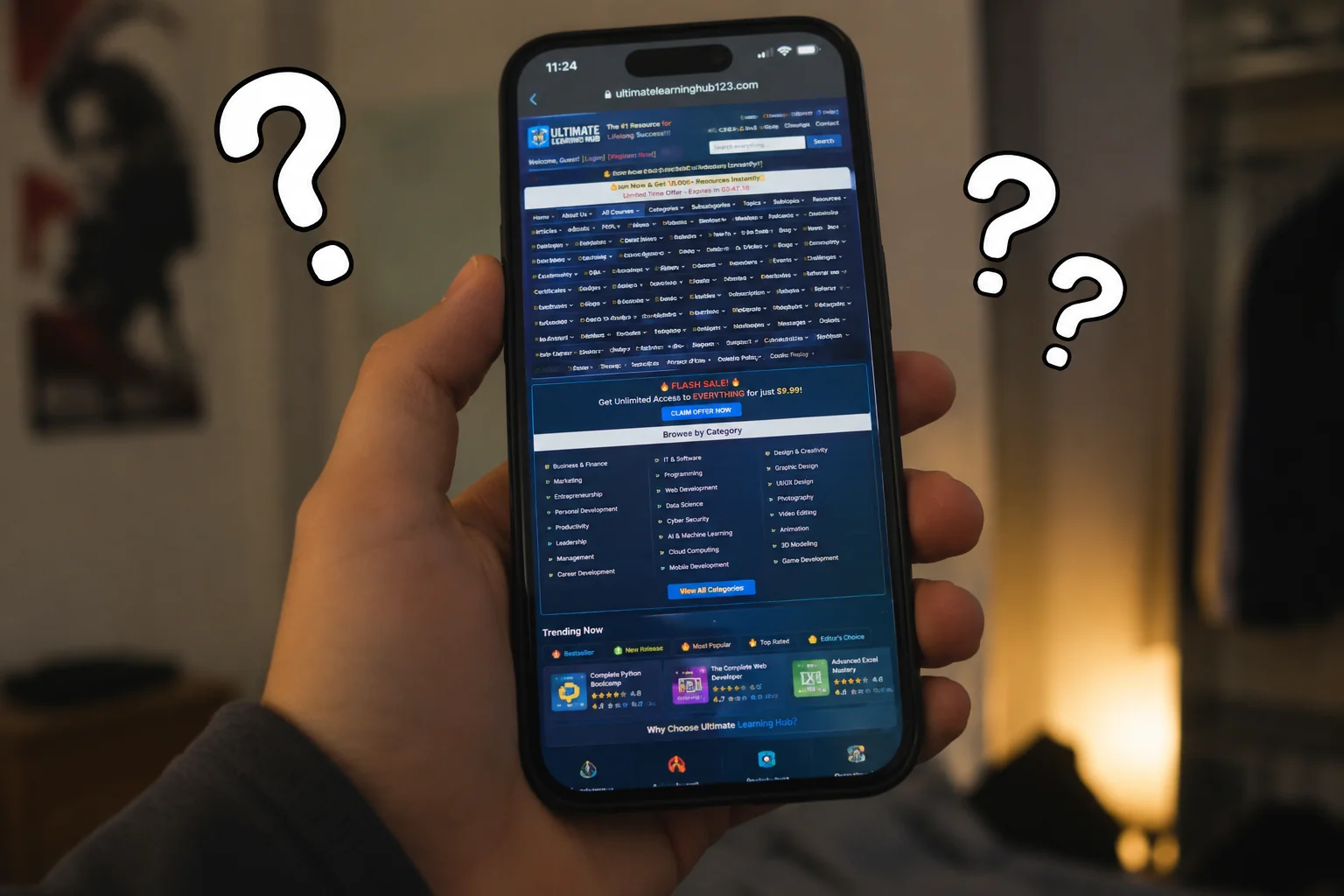
Too many options in the menu
There is a principle in UX called Hick's Law: the time it takes someone to make a decision grows with the number and complexity of the choices in front of them. A nav bar with eight top-level items and three layers of dropdowns does not read as thorough. It reads as work. Every option you add is one more thing the visitor has to read, weigh, and rule out before they can move.
Most small business sites work best with around five primary menu items, and rarely benefit from more than seven. If yours has more, visitors are burning attention just deciding where to look, and that attention could have gone toward booking a call or filling out a form. When you cannot decide what to cut, that is usually a sign the site is trying to be everything to everyone, which is its own problem.
Labels that make sense to you but not to visitors
"Our Solutions." "What We Do." "Services Overview." From the inside, those feel perfectly reasonable. From the outside, they are fog. UX researchers call the thing visitors are looking for "information scent": people follow a link when its label gives off a strong whiff of leading to their goal, and they hesitate or give up when the scent is weak. A vague label has almost no scent, so it forces the visitor to guess what is behind the click, and most people will not gamble a second click to find out.
Name things plainly and concretely. "Plumbing Services" beats "Residential Solutions." "Book an Appointment" beats "Get Started." "Pricing" beats "Investment." Direct labels convert better for a simple reason: they match the words already running through the visitor's head.
Search that returns nothing useful
A search bar is a promise. It tells the visitor: type what you need and you will find it. When that search returns zero results, a pile of irrelevant blog posts from 2019, or a generic "no matches found," you have broken the promise at the exact moment someone was telling you precisely what they wanted. And these are not idle browsers. People who use site search are usually your most motivated visitors.
This is not a rare failing. The Baymard Institute, which has run years of usability testing on search, found in its 2026 benchmark that 56 percent of sites deliver "mediocre or worse" search UX. Their testing also turned up something most owners miss: about a third of users search for non-product things like "return policy," "cancel my order," or "contact," so a search box that only looks at your blog or product list will fail a large share of the people who use it. The same logic applies to any small business site with a blog or resource library. If search cannot reliably surface what is there, visitors conclude it simply is not there, and they leave.
Mobile navigation that does not work like navigation
A hamburger menu that opens with a lag. Dropdowns that demand a surgically precise tap. A menu that snaps shut the instant you nudge the screen. On a phone, those small frictions become dead ends. Most web traffic now comes from mobile, so if your navigation degrades on a phone, you are frustrating the majority of your visitors before they have read a single line. Tap targets that are too small or too close together turn a quick errand into a fight, and people do not stick around for a fight.
How to Fix Your Search and Navigation Experience
None of this calls for a full redesign. Start with an honest audit. Spend ten minutes clicking through your own site as if you had never seen it. Time it: how many clicks from the homepage to a contact form? Can you reach your most important service page in under ten seconds? Does the mobile menu open and close cleanly? Better still, hand your phone to someone who does not know your business, ask them to find one specific thing, and just watch where they hesitate. That hesitation is your roadmap.
Simplify the menu first
Cut menu items until every one that remains earns its place. Group related pages under a single parent instead of listing them all at the top level. If a page is not pulling its weight in visits, it almost certainly does not belong in your primary navigation, where it only dilutes the links that matter.
Match your labels to real search language
Open Google Search Console and look at the actual phrases bringing people to your site. Then use that language in your menu. If people are searching "emergency plumber," your menu should say something close to that, not "Residential Water Solutions." You are not inventing labels, you are borrowing the ones your customers already use.
Improve your on-site search, or replace it
If your search works well, make it prominent and easy to find. If it works poorly, you have two honest options: invest in making it genuinely good (tools like Algolia or the lightweight Fuse.js handle this well for smaller sites), or remove the search bar entirely and replace it with a clear, category-based navigation that does the same job more predictably. A broken search bar is worse than none, because it promises something and then fails to deliver.
Test on a real phone, not a preview
Pull the site up on your actual phone, not a desktop browser shrunk down to look mobile. Work through the menu. Try to reach three different pages without zooming in. If that feels frustrating to you, it feels the same to every visitor, every day. While you are at it, a session-recording tool like Microsoft Clarity (free) lets you watch real visitors navigate and shows you exactly where they stall.
One last thing: navigation and speed are joined at the hip. A menu that takes two seconds to open, or a page that lags after every tap, produces the same result as a confusing structure. The visitor gives up. Fixing one and ignoring the other leaves the problem half-solved.
Frequently Asked Questions
Why does poor website navigation hurt conversions?
Navigation is how visitors find what they came for. When it is confusing or slow, they give up before they ever reach a contact form, a service page, or a booking link. Each extra click or moment of doubt raises the odds they leave without converting.
How many items should a website navigation menu have?
Most small business sites work best with around five top-level items, and rarely benefit from more than seven. Beyond that, you start triggering decision fatigue and pushing low-priority pages into the prime real estate where they crowd out the links that actually matter.
What is on-site search and why does it matter?
On-site search is the search bar on your own website. It matters because the people who use it are actively looking for something specific, which makes them some of your most motivated visitors. If the results are unhelpful or broken, those are exactly the people you lose.
How do I know if my navigation is hurting me?
Look at your bounce rate by page and your navigation paths in Google Analytics. If visitors land on the homepage and leave without clicking anything, or reach a category page and exit, navigation is a likely culprit. A session-recording tool like Microsoft Clarity or Hotjar will show you precisely where people get stuck.
Does site speed affect navigation experience?
Yes. A menu that takes two seconds to open or a page that lags after each tap creates the same friction as a confusing structure. Speed and navigation together determine how quickly someone can move through your site and reach a decision, so fixing one without the other only gets you halfway.
If you want a second set of eyes on your site's navigation and search, reach out and we will take a look at where visitors are getting lost.
Why Your Website's Search and Navigation Experience Drives Customers Away
Most visitors decide within a few seconds whether your site is worth their time. They are not reading your copy yet. They are scanning for a path to whatever they came for. If your navigation makes finding that path harder than it should be, they do not complain or send feedback. They quietly click back, land on a competitor, and never return. There is no alert in your analytics that says "lost a customer to a confusing menu," which is exactly why this problem hides in plain sight for so long.
It is tempting to file navigation under taste, a matter of which menu style you happen to like. But every extra second of confusion costs you someone who was ready to buy, which makes this a conversion problem first and a design preference a distant second.
What Broken Navigation Actually Looks Like
Bad navigation rarely looks broken. It just feels slow, vague, or quietly exhausting. A handful of patterns show up again and again.
Too many options in the menu
There is a principle in UX called Hick's Law: the time it takes someone to make a decision grows with the number and complexity of the choices in front of them. A nav bar with eight top-level items and three layers of dropdowns does not read as thorough. It reads as work. Every option you add is one more thing the visitor has to read, weigh, and rule out before they can move.
Most small business sites work best with around five primary menu items, and rarely benefit from more than seven. If yours has more, visitors are burning attention just deciding where to look, and that attention could have gone toward booking a call or filling out a form. When you cannot decide what to cut, that is usually a sign the site is trying to be everything to everyone, which is its own problem.
Labels that make sense to you but not to visitors
"Our Solutions." "What We Do." "Services Overview." From the inside, those feel perfectly reasonable. From the outside, they are fog. UX researchers call the thing visitors are looking for "information scent": people follow a link when its label gives off a strong whiff of leading to their goal, and they hesitate or give up when the scent is weak. A vague label has almost no scent, so it forces the visitor to guess what is behind the click, and most people will not gamble a second click to find out.
Name things plainly and concretely. "Plumbing Services" beats "Residential Solutions." "Book an Appointment" beats "Get Started." "Pricing" beats "Investment." Direct labels convert better for a simple reason: they match the words already running through the visitor's head.
Search that returns nothing useful
A search bar is a promise. It tells the visitor: type what you need and you will find it. When that search returns zero results, a pile of irrelevant blog posts from 2019, or a generic "no matches found," you have broken the promise at the exact moment someone was telling you precisely what they wanted. And these are not idle browsers. People who use site search are usually your most motivated visitors.
This is not a rare failing. The Baymard Institute, which has run years of usability testing on search, found in its 2026 benchmark that 56 percent of sites deliver "mediocre or worse" search UX. Their testing also turned up something most owners miss: about a third of users search for non-product things like "return policy," "cancel my order," or "contact," so a search box that only looks at your blog or product list will fail a large share of the people who use it. The same logic applies to any small business site with a blog or resource library. If search cannot reliably surface what is there, visitors conclude it simply is not there, and they leave.
Mobile navigation that does not work like navigation
A hamburger menu that opens with a lag. Dropdowns that demand a surgically precise tap. A menu that snaps shut the instant you nudge the screen. On a phone, those small frictions become dead ends. Most web traffic now comes from mobile, so if your navigation degrades on a phone, you are frustrating the majority of your visitors before they have read a single line. Tap targets that are too small or too close together turn a quick errand into a fight, and people do not stick around for a fight.
How to Fix Your Search and Navigation Experience
None of this calls for a full redesign. Start with an honest audit. Spend ten minutes clicking through your own site as if you had never seen it. Time it: how many clicks from the homepage to a contact form? Can you reach your most important service page in under ten seconds? Does the mobile menu open and close cleanly? Better still, hand your phone to someone who does not know your business, ask them to find one specific thing, and just watch where they hesitate. That hesitation is your roadmap.
Simplify the menu first
Cut menu items until every one that remains earns its place. Group related pages under a single parent instead of listing them all at the top level. If a page is not pulling its weight in visits, it almost certainly does not belong in your primary navigation, where it only dilutes the links that matter.
Match your labels to real search language
Open Google Search Console and look at the actual phrases bringing people to your site. Then use that language in your menu. If people are searching "emergency plumber," your menu should say something close to that, not "Residential Water Solutions." You are not inventing labels, you are borrowing the ones your customers already use.
Improve your on-site search, or replace it
If your search works well, make it prominent and easy to find. If it works poorly, you have two honest options: invest in making it genuinely good (tools like Algolia or the lightweight Fuse.js handle this well for smaller sites), or remove the search bar entirely and replace it with a clear, category-based navigation that does the same job more predictably. A broken search bar is worse than none, because it promises something and then fails to deliver.
Test on a real phone, not a preview
Pull the site up on your actual phone, not a desktop browser shrunk down to look mobile. Work through the menu. Try to reach three different pages without zooming in. If that feels frustrating to you, it feels the same to every visitor, every day. While you are at it, a session-recording tool like Microsoft Clarity (free) lets you watch real visitors navigate and shows you exactly where they stall.
One last thing: navigation and speed are joined at the hip. A menu that takes two seconds to open, or a page that lags after every tap, produces the same result as a confusing structure. The visitor gives up. Fixing one and ignoring the other leaves the problem half-solved.
Frequently Asked Questions
Why does poor website navigation hurt conversions?
Navigation is how visitors find what they came for. When it is confusing or slow, they give up before they ever reach a contact form, a service page, or a booking link. Each extra click or moment of doubt raises the odds they leave without converting.
How many items should a website navigation menu have?
Most small business sites work best with around five top-level items, and rarely benefit from more than seven. Beyond that, you start triggering decision fatigue and pushing low-priority pages into the prime real estate where they crowd out the links that actually matter.
What is on-site search and why does it matter?
On-site search is the search bar on your own website. It matters because the people who use it are actively looking for something specific, which makes them some of your most motivated visitors. If the results are unhelpful or broken, those are exactly the people you lose.
How do I know if my navigation is hurting me?
Look at your bounce rate by page and your navigation paths in Google Analytics. If visitors land on the homepage and leave without clicking anything, or reach a category page and exit, navigation is a likely culprit. A session-recording tool like Microsoft Clarity or Hotjar will show you precisely where people get stuck.
Does site speed affect navigation experience?
Yes. A menu that takes two seconds to open or a page that lags after each tap creates the same friction as a confusing structure. Speed and navigation together determine how quickly someone can move through your site and reach a decision, so fixing one without the other only gets you halfway.
If you want a second set of eyes on your site's navigation and search, reach out and we will take a look at where visitors are getting lost.